
Engineering
How to Integrate AI Agents Into Existing Enterprise Software Without Rebuilding Everything
Updated 19 September 2026
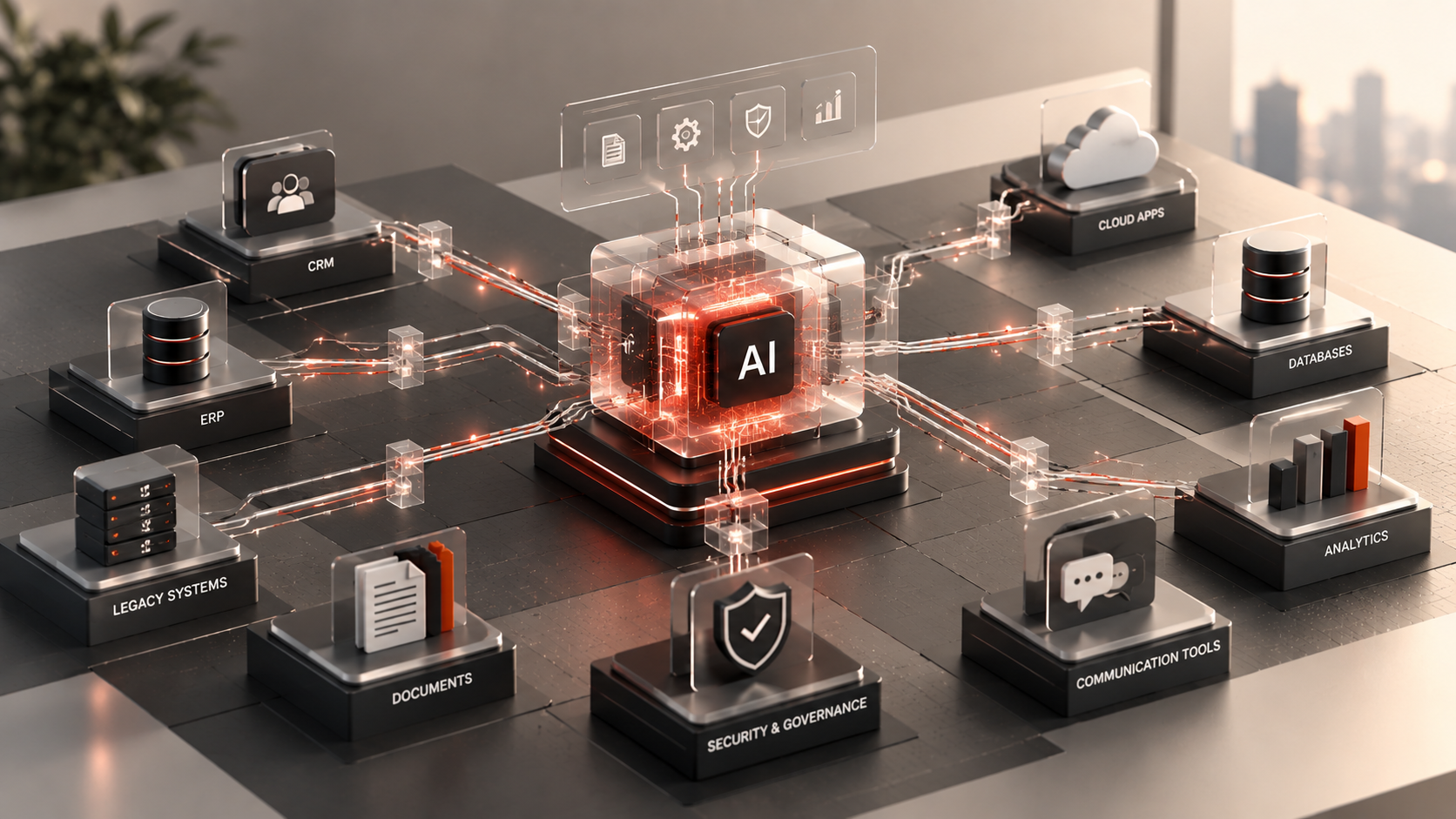
How to Integrate AI Agents Into Existing Enterprise Software Without Rebuilding Everything
Most enterprises do not have an AI problem.
They have an integration problem.
The organization may already have capable models available. Teams may have built impressive demonstrations. Leadership may have identified workflows worth automating.
Then the prototype meets the real technology environment.
Customer information lives in a CRM. Orders live in an ERP. Documents sit across several repositories. Authentication runs through an identity provider. Business rules are embedded inside years of application code. Some systems expose modern APIs. Others were built long before anyone expected an AI agent to interact with them.
This is where many AI initiatives become difficult.
Recent enterprise research reinforces the point. A September 2026 UiPath survey found that technology leaders still identify data readiness, integration with existing workflows and systems, and governance among the significant obstacles to scaling agentic AI.
The solution is rarely to throw everything away and start again.
A better approach is to build an integration architecture that allows AI agents to work with existing systems through controlled interfaces.
Start With the Workflow, Not the Model
One of the easiest ways to waste an AI budget is to begin with a model and ask where it can be used.
Start with a business workflow instead.
Consider an order-exception process.
A member of the operations team may currently:
receive an exception notification;
open the ERP;
find the order;
check the customer's history in the CRM;
review inventory;
inspect a shipping system;
determine the likely cause;
update a record;
notify another employee or customer.
That workflow is a better starting point than “we need an AI agent.”
It exposes the systems, decisions, data, permissions, and human judgment involved.
Only then should the architecture determine where AI adds value.
The agent might interpret the exception, retrieve relevant context, recommend a resolution, prepare an update, or execute approved actions.
It does not necessarily need to replace the underlying ERP, CRM, or shipping platform.
Map the Existing Technology Estate
Before connecting an agent, identify what it needs to interact with.
Create a map covering:
Systems of record: CRM, ERP, HRIS, inventory, finance, customer databases.
Communication systems: email, Slack, Microsoft Teams, ticketing platforms.
Content systems: document repositories, knowledge bases, CMS platforms.
Custom applications: internal portals, dashboards, SaaS products, desktop software.
Data infrastructure: databases, warehouses, object storage, analytics systems.
External services: payment processors, shipping providers, marketing platforms, third-party APIs.
For each system, document:
available APIs;
authentication method;
data ownership;
sensitivity;
rate limits;
supported operations;
integration constraints;
responsible team.
This exercise often reveals that the difficulty is not AI intelligence.
It is enterprise plumbing.
Use APIs as the Preferred Boundary
Where reliable APIs exist, they are usually the cleanest interface between an agent and an enterprise application.
Instead of allowing the model to manipulate a database directly, expose controlled operations such as:
getCustomerProfile()
findOrder()
createSupportTicket()
updateLeadStatus()
requestRefund()
The agent decides which operation is appropriate.
Application code determines whether the operation is valid and permitted.
This separation matters.
An LLM is good at interpreting natural language, reasoning over context, and deciding which capability may help.
It should not become the security boundary for a critical business system.
APIs allow the existing software to retain control over validation, authentication, permissions, and business rules.
Build an Agent Integration Layer
Directly connecting every model to every enterprise application creates complexity quickly.
A more maintainable architecture introduces an integration layer between the agent and business systems.
Conceptually:
User/Event → Agent → Integration & Policy Layer → Enterprise Systems
The integration layer can handle:
authentication;
authorization;
tool definitions;
API translation;
validation;
rate limiting;
logging;
policy enforcement;
retries;
human approvals.
This reduces coupling.
The model can change without rebuilding every enterprise integration.
An underlying CRM can change without redesigning the entire reasoning system.
A new agent can potentially reuse approved integrations rather than receiving custom access to each application.
As organizations deploy more agents, this becomes increasingly important.
Do Not Give the Model Raw Database Access by Default
Direct database access can look attractive during prototyping because it is fast.
The agent needs customer data? Give it SQL access.
The agent needs to update a record? Let it write to the database.
Production environments require more discipline.
Direct access can bypass:
application validation;
permission logic;
business rules;
audit mechanisms;
workflow controls.
Instead, expose narrow operations or approved views.
If an agent only needs to read order status, give it access to order status—not the entire commerce database.
If it can update a CRM field, constrain which fields and values it can modify.
Least privilege applies to AI integrations just as it applies to human users and traditional software.
Separate Read Actions From Write Actions
Not every agent capability has the same risk.
Reading a product specification is different from issuing a refund.
A practical architecture classifies tools by consequence.
Read-only
Retrieve records, search documents, inspect status.
These can often operate with greater autonomy.
Reversible write
Add a note, create a draft, update a noncritical field.
These may require validation but not always human approval.
Consequential action
Send an external communication, modify a financial record, alter customer access.
These deserve stronger controls.
Irreversible or high-risk action
Delete data, transfer funds, modify privileged access, deploy production code.
These should normally require strict authorization and potentially explicit approval.
This structure allows organizations to gain useful automation without giving an agent unrestricted power.
Deal With Systems That Do Not Have Modern APIs
Legacy software does not automatically prevent AI integration.
The strategy depends on the system.
Existing integration interfaces
Some older platforms support SOAP, database procedures, message queues, file exchanges, or vendor-specific connectors.
These may be usable behind a modern adapter.
Integration middleware
An integration service can translate between a modern agent-facing interface and an older backend.
Controlled database views
For read-heavy use cases, carefully scoped database views may expose necessary information without granting unrestricted access.
Robotic process automation
For systems that provide no practical programmatic interface, RPA can sometimes bridge a gap by interacting with the existing UI.
However, UI automation tends to be more fragile than APIs and should not be the first choice when stable integration options exist.
Incremental modernization
If a legacy system consistently blocks strategic initiatives, exposing selected capabilities through services or APIs can be the first step toward broader modernization.
The key is avoiding an all-or-nothing assumption.
You do not necessarily need to replace a 15-year-old application before AI can create value around it.
Build a Unified Context Layer
Integration gives an agent access to systems.
It does not automatically give it useful context.
Suppose a customer-success agent needs to answer:
“Why is this enterprise customer at risk?”
The answer may require:
CRM activity;
support history;
usage analytics;
billing status;
recent emails;
account notes.
Simply connecting six tools leaves the agent to assemble the picture repeatedly.
A well-designed context layer can retrieve and normalize the relevant information.
Depending on the use case, this might involve:
APIs;
retrieval-augmented generation;
search indexes;
vector retrieval;
structured databases;
event streams;
data warehouses.
The important requirement is provenance.
The system should know where important information came from and how fresh it is.
Keep Authentication Outside the Prompt
Never rely on a system prompt that says:
“Only access records this user is allowed to see.”
That is an instruction.
Authorization needs to be enforced by software.
When a user initiates an agentic workflow, the architecture should determine:
who the user is;
which tenant or organization they belong to;
what they are authorized to access;
what authority can be delegated to the agent;
which actions require additional approval.
The integration layer should enforce those boundaries regardless of what the model generates.
This becomes particularly important in multi-tenant SaaS products.
A capable model must never be allowed to turn a retrieval mistake into cross-customer data exposure.
Add Human Approval Where Consequences Change
The purpose of agentic automation is not to ask a human to approve every click.
But human review remains valuable at specific boundaries.
For example, an agent could:
Automatically: research an account, retrieve history, summarize issues, draft an email.
Require approval: send a sensitive customer message, issue a large credit, modify a contract.
The approval should include enough context for a person to make an informed decision.
“Approve agent action?” is weak.
“Approve a $4,800 customer credit for Order 18492 based on these three documented conditions?” is much better.
The human should understand the consequence, not merely the fact that AI proposed something.
Use Events Instead of Constant Polling
Many valuable enterprise agents should not run continuously asking systems whether something changed.
Event-driven architecture can be cleaner and cheaper.
An agent can start when:
a support ticket is created;
an invoice becomes overdue;
an order enters an exception state;
a lead reaches a particular stage;
a monitoring alert fires;
a document is uploaded;
an employee submits a request.
The event provides a clear trigger.
The agent then retrieves the context it needs, completes its work, and stops.
This architecture can reduce unnecessary model calls while making behavior easier to trace.
Design for Idempotency
Production agents retry.
Networks fail. APIs time out. Models occasionally produce malformed requests.
If a retry can create the same action twice, the architecture has a problem.
Imagine a payment agent calling:
issueRefund(orderId, amount)
The request succeeds, but the response times out.
The agent assumes it failed and tries again.
Without idempotency controls, the customer may receive two refunds.
Consequential APIs should therefore be designed so repeated requests do not automatically duplicate an operation.
This is conventional distributed-systems engineering—and it becomes even more important when autonomous agents call those systems.
Observability Needs to Follow the Entire Workflow
A normal application log may show that an API returned an error.
An agentic workflow needs broader visibility.
Teams should be able to reconstruct:
what triggered the agent;
which context it received;
which model was used;
which tools it selected;
which API operations were attempted;
what authorization decisions occurred;
whether a human approved an action;
whether retries happened;
how the workflow ended.
Production AI is difficult to improve when teams cannot understand why it behaved the way it did.
Observability also supports cost optimization.
If one workflow repeatedly uses five retrieval calls when two would suffice, that is both a performance and economic signal.
Roll Out One Workflow at a Time
A common transformation mistake is trying to create an enterprise-wide autonomous agent before proving one bounded workflow.
Start smaller.
Choose a process with:
measurable volume;
clear inputs;
identifiable systems;
repetitive work;
defined outcomes;
manageable risk.
Build the integration.
Measure it.
Watch how humans use it.
Identify failure modes.
Then expand.
A successful production workflow creates reusable architecture: authentication patterns, tool interfaces, observability, approval components, and integration adapters.
The second agent should become easier to deploy than the first.
When Should You Modernize the Underlying Application?
Integration is not always the right long-term answer.
Sometimes the existing software genuinely needs modernization.
Warning signs include:
no stable integration mechanism;
unsupported technology;
severe security limitations;
brittle data architecture;
business logic nobody can safely change;
performance constraints;
excessive manual synchronization;
integrations that cost more to maintain than replacement.
Recent September analysis from Avasant describes enterprises reassessing application portfolios as technical debt, complexity, and performance pressures continue, while AI is increasingly becoming part of modernization and operations.
The question should therefore be:
Can we integrate safely and economically, or is AI exposing a modernization problem that already existed?
That is a much more useful question than assuming every old system must be replaced.
A Reference Architecture for Enterprise Agent Integration
A practical architecture can be summarized in seven layers.
1. Experience Layer
Web app, mobile app, Slack, Teams, email, internal portal, or API.
2. Agent Layer
Reasoning, task planning, model selection, and workflow orchestration.
3. Context Layer
Search, retrieval, memory, structured data, and approved knowledge.
4. Policy & Identity Layer
Authentication, authorization, tenant boundaries, approvals, and guardrails.
5. Integration Layer
Tool definitions, adapters, API gateway, validation, and transformation.
6. Enterprise Systems
CRM, ERP, databases, document systems, custom applications, SaaS tools.
7. Observability Layer
Logs, traces, evaluations, security monitoring, cost metrics, and business outcomes.
This layered architecture makes the agent powerful without making it the owner of every responsibility.
Where Noviqon Solutions Fits
Noviqon Solutions builds AI automation and AI-agent workflows alongside full-stack applications and cloud systems.
That combination matters when an organization already has a working technology estate.
The job is often not to build a chatbot beside the existing business.
It is to understand the workflow, identify the systems involved, create controlled integration boundaries, design the AI layer, implement permissions and observability, and connect everything into software employees or customers can actually use.
In many cases, the best AI transformation does not replace the systems that already run the business.
It makes them work together more intelligently.
Do Not Rebuild the Company to Add an Agent
Enterprise AI adoption does not have to begin with a massive replatforming project.
Start with one workflow.
Map the systems.
Expose controlled capabilities.
Separate reasoning from authorization.
Give the agent only the access it needs.
Instrument the workflow.
Measure the outcome.
Then expand.
The model may be the most visible component of an AI agent.
But the integrations around it are what turn intelligence into useful work.
Connect AI to the Systems Your Business Already Uses
Noviqon Solutions designs AI automation, agentic workflows, full-stack applications, and cloud integrations for organizations moving from AI experiments to operational software.
If you have an existing CRM, ERP, SaaS platform, internal application, database, or business workflow that could benefit from AI, the first step does not have to be replacement. We can help assess the current architecture, identify integration boundaries, and design a practical path to production.